By Valerie Mitchell · Client Success Manager, Clientomic
Published August 26, 2026
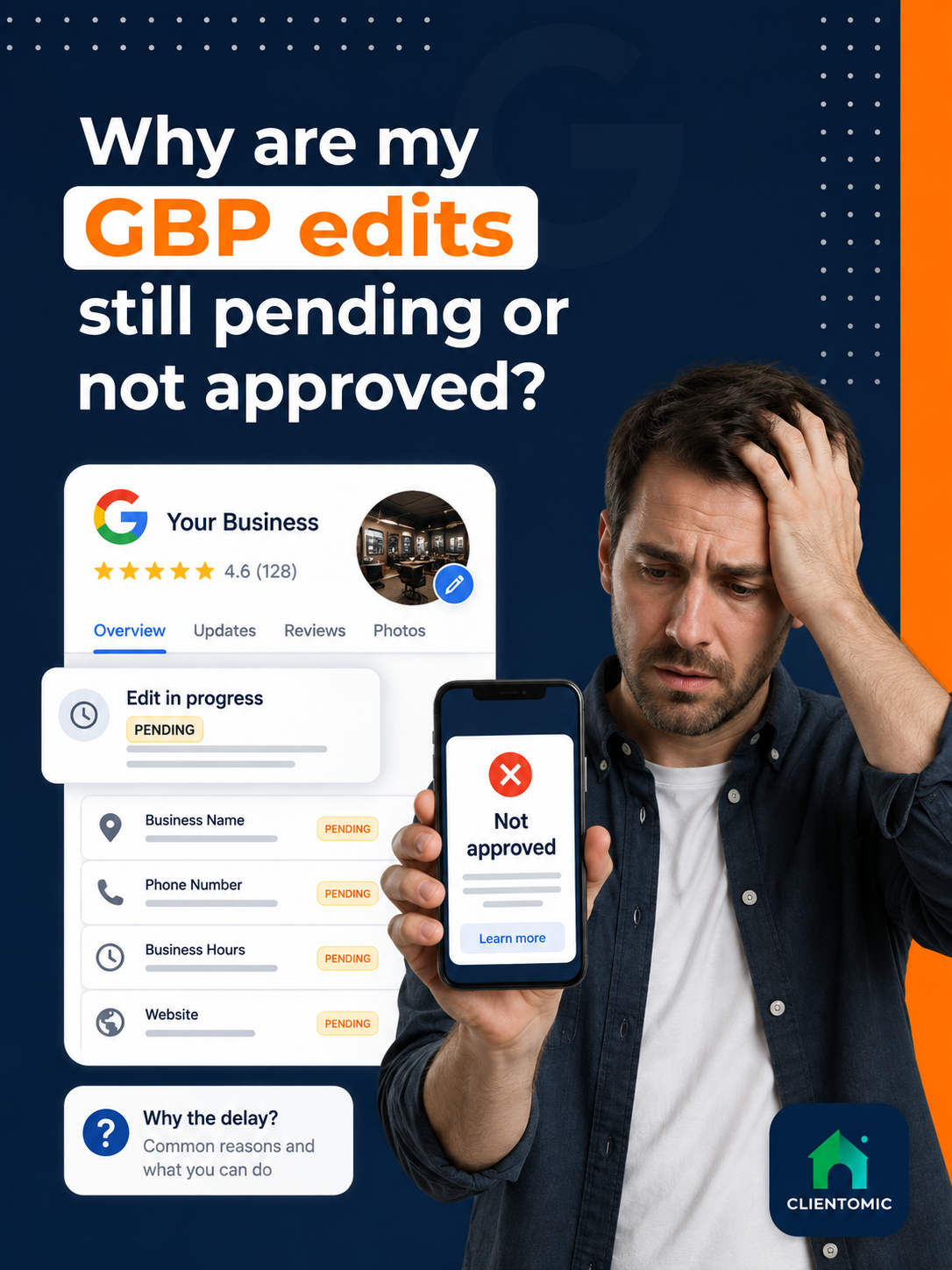
A Google Business Profile (GBP) edit is a proposed change to business information that Google reviews before it appears publicly. If you see Google Business Profile edits pending, Google is still reviewing them. Not approved means Google could not confirm or accept the change. Google says reviews usually take up to 10 minutes, but some take up to 30 days (Google Business Profile Help, 2026).[1]
A Pending Google Business Profile edit is still under review; a Not approved edit is a change Google could not confirm or accept. Google Business Profile Help says edits usually take up to 10 minutes to review, but some can remain Pending for up to 30 days (Google Business Profile Help, 2026).[1] The correct next action depends on the label, the field you changed, whether the profile is verified, and whether a policy or profile restriction applies. Check the public profile on Google Search and Maps as well as the management dashboard. An Accepted edit can be live even when one screen looks stale. Do not keep sending the same change or create another profile while the original edit is under review. Repetition does not force approval, and no service provider can bypass Google's review. Document one edit, confirm the facts behind it, and follow the route that matches the displayed status.
Why is my Google Business Profile edit still pending? Because Google is still reviewing the change, so the safe next step is to verify the profile, check the exact field, and wait within Google's stated window before escalating.
There are three different diagnoses behind "my changes are not showing":
Managed Local Visibility means ongoing operational care for the business information shown across local search surfaces. Clientomic is a done-for-you local visibility service that manages Google Business Profiles for small service businesses so owners get found on Search and Maps without handling the review process themselves. It cannot control Google's moderation decisions.
Accepted, Pending, and Not approved describe Google's decision about a proposed profile change. Accepted means Google accepted the edit, although the owner should still confirm the exact value on public Search and Maps. Pending means review is still in progress, so the new value may not be public yet. Not approved means Google could not confirm or accept the proposed change, and the earlier value may remain visible. These labels are not the same as a profile restriction, which is a limit placed on the profile or account, or a suspension, which removes or limits the profile for a separate eligibility or policy issue. Google publishes the current status definitions in its edit-status guidance (Google Business Profile Help, 2026).[2] Read the label first, then choose the matching action. A status is a diagnosis signal, not a display-time guarantee.
| Status | What it means | Should it appear publicly? | Next safe action |
|---|---|---|---|
| Accepted | Google accepted the proposed edit | Usually, but verify Search and Maps | Check the public profile and the exact field |
| Pending | Google is still reviewing the proposed edit | Not necessarily yet | Verify the profile and field; wait within Google's stated window; avoid duplicate submissions |
| Not approved | Google could not confirm or accept the change | No, or the prior value remains | Check accuracy, verification, restrictions, identity, location, and policy; use the correct support route |
Use Google's Business Profile update history guide when you need to separate your own submission from other updates. That distinction matters because Google can also update profile information from other sources. A changed value is not always evidence that your latest edit failed.
Before you resubmit, confirm the correct managing account, make sure the Business Profile is verified, and identify the exact field Google is reviewing. Compare the proposed name, phone, hours, website, category, and address with the business's real-world information. For a service-area business—a business that visits customers at their locations and may hide its address when eligible—check that the address presentation matches Google's rules. Look for a profile restriction, suspension notice, or account-access problem, then review the policy that applies to the changed field. Google lists verification, restrictions, significant identity or location changes, policy conflicts, and processing errors among the reasons content can be rejected (Google Business Profile Help, 2026).[3] If the first edit is still Pending, do not send copies of it. Repeated submissions are not an approval mechanism.
Keep the pre-resubmission check compact:
Across the suspension cases we review at Clientomic, the strongest starting point is a short, consistent record of what the business does, how customers are served, and which documents match the profile—not a folder of unrelated uploads. This practitioner observation applies when an edit problem connects to a restriction or appeal; it is not a claim that more documents secure approval.
| Do not assume | Why |
|---|---|
| Pending means suspended | Pending can be an ordinary edit review |
| One rejected field means the whole account is restricted | Field rejection and profile restriction are separate states |
| Accepted means every public surface has been checked | Search and Maps still need a direct review |
Thirty days is Google's outer caveat for some Business Profile edits, not a promise that every case resolves on day 30 (Google Business Profile Help, 2026).[1] If the status remains unresolved, check Google's edit-status workflow, then compare the dashboard with the live profile on Search and Maps. Record the exact field, old value, proposed value, submission date, and any notice shown. Confirm that the profile is verified and that no restriction, suspension, access problem, or material identity change is affecting the review. If the edit is still Pending after the stated window, contact Google with that clean record. If it is Not approved, move to the rejected-edit route instead. Do not create a duplicate profile to escape the delay. One original profile and one documented next action give Google a clearer case than overlapping submissions or replacement listings.
Use this decision tree:
A Local Search Forum discussion documents an edit review following verification, address, and category changes that lasted longer than the owner expected.[6] That case shows why material changes need a documented support path. It does not establish a universal timetable beyond Google's published guidance.
A Google Business Profile edit that remains Pending after Google's stated review window is a support case to document, not a reason to create a second profile.
A rejected edit is different from a pending edit. In the United States, Google's current guidance directs rejected business-information edits outside the UK and European Economic Area to its Contact us support flow, while the appeals tool handles other eligible content or profile-restriction decisions. Verify the profile first and prepare evidence that matches the exact business identity, eligibility question, and field under review. Do not send altered, irrelevant, or excessive documents. Google says appeal reviews and decisions can take up to 5 business days (Google Business Profile Help, 2026).[4] It also tells owners not to submit multiple appeals for the same issue before receiving a decision.[4] Keep the support route separate from an ordinary Pending status, preserve the evidence packet, and do not create a duplicate profile. Neither an appeal nor a support request guarantees approval.
"Matching evidence" means evidence that supports the field Google rejected. A business-name issue needs records that reflect the name used in the real world. An address or service-area question needs location and eligibility facts. A website-field rejection needs the exact URL and proof that it represents the business.
In the suspension cases we review, the appeal path behaves like a finite status flow, not a live support queue: the next action changes after a tool error or a denial. This is practitioner context, not Google's policy or a separate timing promise.
For the official route, follow Google's appeal and support guidance after you confirm the status.[4] Clientomic can handle defined recurring profile upkeep, but it cannot force approval, bypass policy, or guarantee Google's response time.
These adjacent questions help you verify public display, prepare evidence, avoid repeated submissions, understand regional routing, and decide whether a profile condition is separate from an edit review. Check both Search and Maps because a dashboard label and the public value can disagree. Prepare documents only when they match the field or eligibility issue Google is reviewing. A service-area business may hide its address when eligible, but that setup does not remove the review process. Support routes can differ by region, so US guidance should not be treated as universal. Recurring Google Business Profile management can keep business information monitored and current; it remains separate from Google's approval decision. These answers are bounded checks, not approval promises, replacement-profile instructions, or shortcuts around Google's policies.
Search for the business name on Google Search and open the same profile in Google Maps. Compare the exact changed field on both public surfaces with the value shown in the dashboard. Use a normal customer view when possible, because the management interface can display controls or labels that customers do not see.
Record the profile URL, field changed, old and proposed values, submission date, current status, and any notice. Gather only documents that support the business identity, eligibility, address, or field at issue. A focused packet is easier to explain than unrelated files.
Repeated submissions do not force approval. They can make it harder to tell which proposed value Google is reviewing and when the original wait began. Keep one record of the first edit, wait within Google's stated window, and escalate the documented case if it remains unresolved.
The same Accepted, Pending, and Not approved labels apply. The important extra check is eligibility and address presentation: an eligible service-area business may hide its address, while a storefront should use a location customers can visit. The profile must still reflect how the business operates.
No. Google's guidance distinguishes rejected business-information edits in the UK and European Economic Area from the route used elsewhere.[4] Check the current country-specific instructions before opening a case. This article explains the US path and should not be treated as universal support guidance.
No. Pending describes an edit still under review. A suspended profile is a separate profile-level condition tied to eligibility or policy enforcement. Check for a specific restriction or suspension notice before you move from an edit-status diagnosis to an appeal or reinstatement route.
If recurring edits, status checks, and profile upkeep keep landing back on your list, Clientomic's Google Business Profile management covers defined ongoing maintenance. You can also use these Google Business Profile maintenance tips after the current edit is live. The service keeps the work organized; Google still makes every moderation decision.
Sources:
1. Google Business Profile Help, edit review timing of usually up to 10 minutes and sometimes up to 30 days, 2026. Read the edit guidance
2. Google Business Profile Help, Accepted, Pending, and Not approved edit-status definitions, 2026. Review the status lesson
3. Google Business Profile Help, policy, verification, restriction, identity, location, and processing-error causes for rejected content, 2026. Review the policy overview
4. Google Business Profile Help, appeal and support routing, evidence guidance, review timing, and duplicate-appeal rule, 2026. Read the appeals guidance
5. Google Business Profile Community, owner report of a stale Pending label after the public edit appeared, 2025. Read the community thread
6. Local Search Forum, practitioner discussion of a long review after verification, address, and category edits, 2025. Read the forum discussion
Observations sourced from review of public-community discussions on LocalSearchForum, Reddit r/smallbusiness/r/SEO/r/localseo, and Google Business Profile Help Community in 2025-2026, alongside Clientomic's profile-audit and onboarding work. Patterns reflect qualitative observations across multiple independent threads, not specific customer disclosures.