By Valerie Mitchell · Client Success Manager, Clientomic
Published November 4, 2026
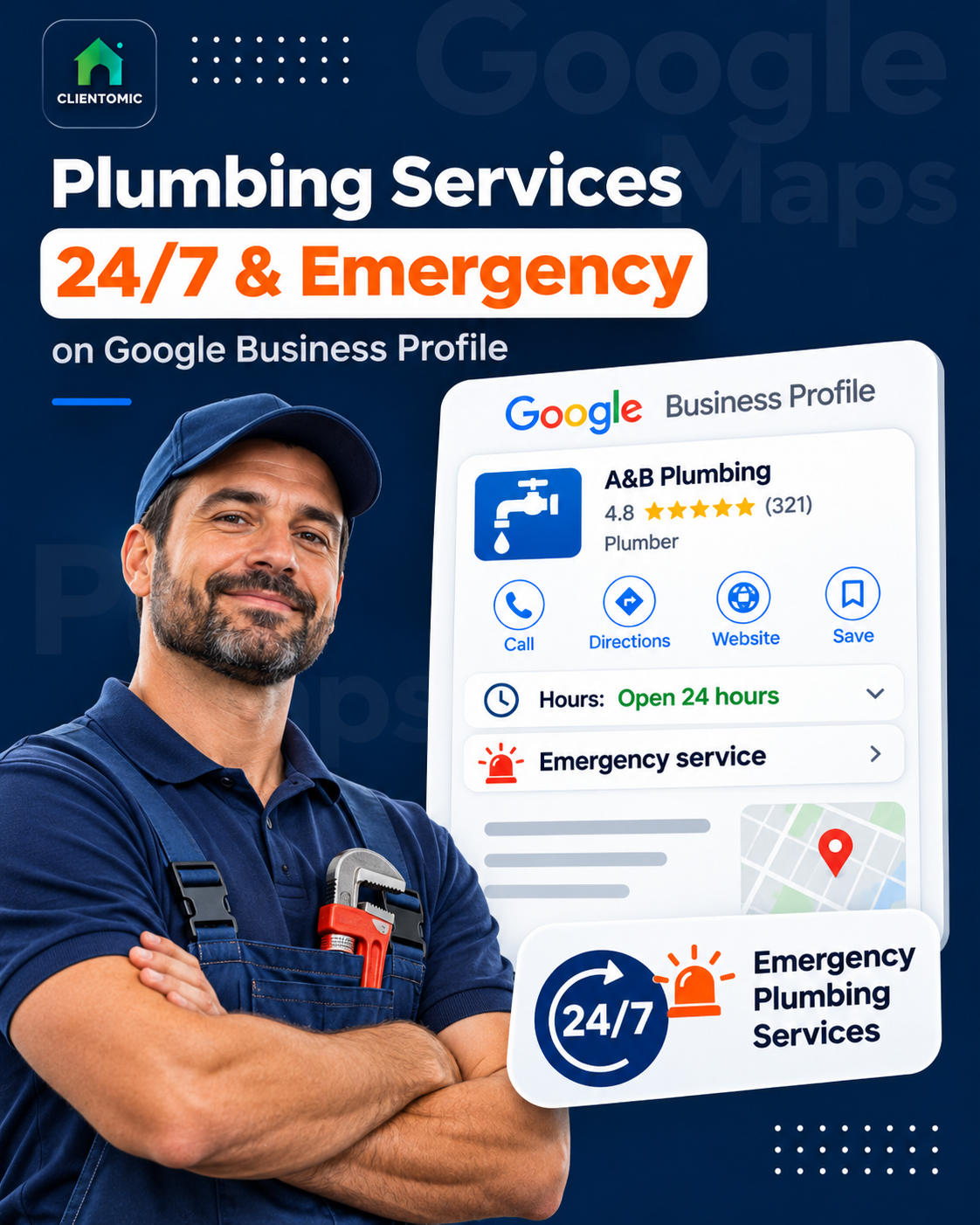
A caller with a burst pipe needs to know whether a plumber can respond tonight. Set regular hours to 24 hours only when they match your real, recurring availability. List emergency jobs separately from the arrangements for answering calls and sending a technician.
Google Business Profile, or GBP, is your business listing on Google Search and Maps. Getting Google Business Profile 24/7 emergency plumber hours right means making the listing match the operation, rather than asking a service label to explain everything.
Quick answer: Google provides a 24-hour choice for each open day (Google Business Profile Help, 2026).[1] Use it only for genuinely recurring around-the-clock availability. Add the emergency plumbing services you actually perform, then separately confirm who answers, which jobs are accepted, which technician can respond, and where. Special hours handle temporary exceptions; More hours are limited to applicable service-specific options.
By Clientomic. Guidance checked October 8, 2026; the year on Google citations identifies the review year, not a stated publication date.
The listing can be a customer's first decision point. Clear hours guide the caller; a vague overnight promise leaves them guessing. You should not need a marketing degree to explain your availability.
The useful goal is one public schedule backed by a working response plan. Clientomic is a done-for-you local visibility service that manages Google Business Profiles for plumbing businesses, so owners get found by customers without having to handle the profile themselves. The setup below explains the profile controls first, then the separate operating checks that make emergency claims credible.
A plumber should list 24 hours on Google Business Profile only for days when that accurately describes normal customer-facing availability. The Hours field displays a schedule; it does not certify that someone answers overnight or that a qualified plumber can leave for a job. For an advertised emergency service, check the entire response path before choosing round-the-clock hours. A reachable person, an accepted job, an available technician, and a covered address are separate requirements in that practical check. An answering service that records a message for the morning establishes message collection, not immediate emergency response. Occasional night work also does not establish a reliable weekly schedule. Assess each day independently, and describe any response limits plainly. This is operating guidance for making the public claim truthful, not a Google-prescribed dispatch model.
Google asks businesses to provide accurate regular customer-facing hours. Its editor allows the 24-hour selection for each open day (Google Business Profile Help, 2026).[1][2]
Use this practical reality check, separate from Google's editor instructions:
For example, a business might offer daytime appointments and accept urgent drain calls overnight. Its overnight claim needs to reflect that narrower service. It should not imply that a bathroom installation can start at midnight. This is an illustrative scenario, not a customer case.
If the owner sometimes takes a late call but has no dependable on-call arrangement, retain the true regular schedule. Do not turn occasional flexibility into a blanket availability claim. For wider profile upkeep, see our Google Business Profile optimization guide for plumbers.
To set 24-hour hours on Google Business Profile, open the profile you manage, select Edit profile, and open Hours. Edit the main business hours, choose Open with main hours, and select the days the business is genuinely open. For each qualifying day, use Opens at to choose 24 hours, then save. Review the resulting schedule against the normal operating week. Do not copy a round-the-clock setting across days with different coverage simply to make the listing look consistent. Where the business has a real break, record the actual open periods instead. The editor records the schedule you supply; the plumbing business remains responsible for the staff and response arrangements behind it. Keep a written version of the approved schedule so future edits can be checked against the same source.
The following procedure follows Google's current hours Help page.[1]
Check the days individually. A weekday on-call arrangement does not automatically cover Sunday. If the phone route changes at the weekend, confirm what the weekend operation can deliver before publishing its hours.
Give the profile maintainer an approved schedule and clear update triggers. A staff change should prompt a review of the public claim.
After saving, inspect the customer-facing listing as well as the editor. This is a recommended verification step, not a promise that every edit appears immediately. If you need help understanding the status of a submitted change, our guide to pending Google Business Profile edits covers that separate problem.
A plumber should use Google Business Profile's Services editor to name emergency work the company actually performs. Eligible service businesses may select suggested services or add a custom service when a suitable item is missing. Choose concrete job types, such as emergency drain repair, only when they describe real offerings. A service entry describes the work; it does not establish the schedule for receiving calls, accepting jobs, staffing an on-call shift, or dispatching a technician. Keep those facts separate when writing service descriptions. If urgent work is limited to certain problems or periods, explain the real limits instead of using a broad emergency label. Before saving, compare each entry with the jobs your team is prepared to accept. Remove a service that the plumbing operation no longer provides.
Google's Services documentation explicitly includes plumbing examples and supports suggested and custom entries.[3] A Google Business Profile service entry names plumbing work a company offers; it does not show that anyone answers after hours or that a plumber can be dispatched.
| Item | What it communicates | What needs separate confirmation |
|---|---|---|
| Services | Plumbing job types offered | Whether that work is accepted tonight |
| Regular hours | Normal customer-facing schedule | Whether the advertised response operation supports it |
| Phone/call coverage | How the caller reaches the business | Who answers and can make a decision |
| Technician response | The business's actual operating capability | Who is available and can reach the address |
The table is a decision aid, not four Google editor fields. Phone coverage and technician response describe the operation behind the listing.
Open Edit services, select an existing offering or add an appropriate custom service, then save.[3] Keep the service name focused on the work. Google warns against putting phone numbers, personal information, or prices into custom service names.[3]
Check the identity separately: Google's business-name guidance requires the real-world name.[2] Do not append emergency or hours keywords merely to target a search. A clear job description in the proper field serves the reader better than making every profile field carry the same claim.
Regular hours on Google Business Profile describe the normal recurring week. Special hours describe temporary exceptions, such as holiday changes or a short closure. More hours can show schedules for eligible service types after regular hours are set, and Google generally says they should fall within the primary hours. These controls have different purposes; none should be treated as a substitute for an emergency response operation. The reviewed Google Help pages do not document a universal emergency-hours option for plumbers. If a particular profile's live editor offers a relevant service-specific type, verify its exact label and applicability before using it. Do not select an unrelated type just to create an overnight schedule. For a recurring emergency claim, first establish the accurate main schedule and explain the actual service limits.
Google's main hours guidance distinguishes temporary Special hours from service-specific More hours.[1] Its More hours instructions require regular hours first and generally describe the additional schedule as a subset of primary hours (Google Business Profile Help, 2026).[4]
| Control | Appropriate use | Plumbing example |
|---|---|---|
| Regular hours | Normal weekly availability | A recurring schedule supported by the emergency operation |
| Special hours | Temporary changes | Different hours for a particular holiday |
| More hours | An applicable service-specific type offered by Google | Use only a genuinely relevant option visible in that profile |
For a holiday, decide whether the business's customer-facing availability changes before editing the exception. An office closing does not by itself tell you whether the emergency operation stops. Check the real arrangements, then make the information agree.
Avoid choosing a setting because a contractor tutorial labels it an emergency workaround. Google's documented options and the actual editor are the relevant checks. A missing option is a reason to verify the product, rather than invent a feature or repurpose an unrelated service label.
Keep the schedule on the profile consistent with the information on your existing website and phone message. This is a recommendation for clear communication. It does not establish a ranking benefit, an arrival deadline, or a specific enforcement outcome.
After-hours phone routing should lead to the plumbing business's actual response process, while dispatch should reflect the jobs and addresses its technicians can serve. A person answering a call may be able only to take a message; that is different from accepting an emergency and arranging a technician. Document those responsibilities before publishing a round-the-clock claim. Google Business Profile shows contact information, hours, and services, but the business operates the answering, triage, and dispatch process. Keep the business number under its control and connected to the business. Separately establish which towns are covered overnight, who decides whether a job qualifies, and what the caller is told about availability. A listed service area describes geography, not a guaranteed nighttime arrival. Use a real test call to check the advertised path.
Google requires a business-controlled phone number that connects to the actual business, and favors a local number where possible.[2] ShiftFlow's contractor guide independently distinguishes receiving a phone call from dispatching a qualified team member (ShiftFlow, 2026).[6] That supports the practical distinction; Google Help remains the authority for Google's fields and policies.
Write down who answers, which urgent job types are accepted, who can authorize a response, and which technician handles it. Include the covered locations and response limits. Test that process outside office hours without presenting a fabricated emergency as a real job.
A service-area business visits customers instead of serving them at its base.[5] Google Business Profile allows up to 20 service areas (Google Business Profile Help, 2026).[5] Google also advises an overall boundary within about two hours of driving from the business base (Google Business Profile Help, 2026).[5] Those are product guidance and geographic limits, not a two-hour emergency arrival promise. Your overnight coverage may be narrower than your normal daytime territory; explain that difference clearly when handling a request.
Clientomic manages profile information, including hours and service updates, within our Google Business Profile management service. We use the operating facts you approve to keep the listing accurate, and across the profiles we manage at Clientomic, we see how often a mismatch between listed hours and real coverage causes a bad first call. The plumbing business owns call handling, job acceptance, staffing, and dispatch.
Compare the saved editor values with the customer-facing listing and record the mismatch. Check the edit status before submitting the same change again. Do not assume a service-area edit's timing applies to hours: Google mentions up to 48 hours specifically for approved service-area changes (Google Business Profile Help, 2026).[5] Keep callers informed through your existing contact channels while resolving the hours issue.
State whether the mailbox is monitored now or checked when the business reopens. Give the real callback period and explain whether leaving a message starts any response process. Avoid arrival language when no technician has accepted the request. This is practical communication guidance; a recorded greeting is not evidence that an emergency job has been accepted.
Compare who can assess requests, reach the on-call plumber, and tell callers about actual availability. Test the proposed arrangement during the hours you advertise. Either model needs a business-controlled contact path consistent with Google's phone guidance.[2] Choose based on the responsibilities it can reliably perform, rather than treating a purchased answering service as proof of emergency dispatch.
Not simply to divide the same business's services. Google's general rule is one profile per business; distinct staffed locations or eligible departments have their own criteria.[2] Adding an emergency offering does not by itself establish a separate eligible business. Verify the applicable rules before creating another profile.
Retest after a staffing, routing, or coverage change, and set a recurring interval suited to your operation. For example, a monthly check can be an internal routine; it is not a Google requirement or a measured performance benchmark. Include a backup-path test so the check covers more than one successful call to the primary contact.
An accurate profile starts with a clear account of what your business can deliver. If you want us to manage the ongoing profile upkeep around those facts, book a call below.
Sources:
1. Google Business Profile Help, main hours, 24-hour selection, and temporary hours guidance, checked 2026-10-08. Edit your business hours
2. Google Business Profile Help, real-world identity, customer-facing hours, phone control, and profile eligibility guidance, checked 2026-10-08. Guidelines for representing your business
3. Google Business Profile Help, suggested and custom service entries and editing instructions, checked 2026-10-08. Manage your services
4. Google Business Profile Help, eligible service-specific schedules and their relationship to primary hours, checked 2026-10-08. How to set More hours
5. Google Business Profile Help, service-area count, geography, and service-area edit timing, checked 2026-10-08. Manage your service areas
6. ShiftFlow Editorial Team, operational distinction between phone intake and qualified emergency dispatch, 2026. Contextual corroboration, not authority for Google product behavior. Emergency service operating guidance