
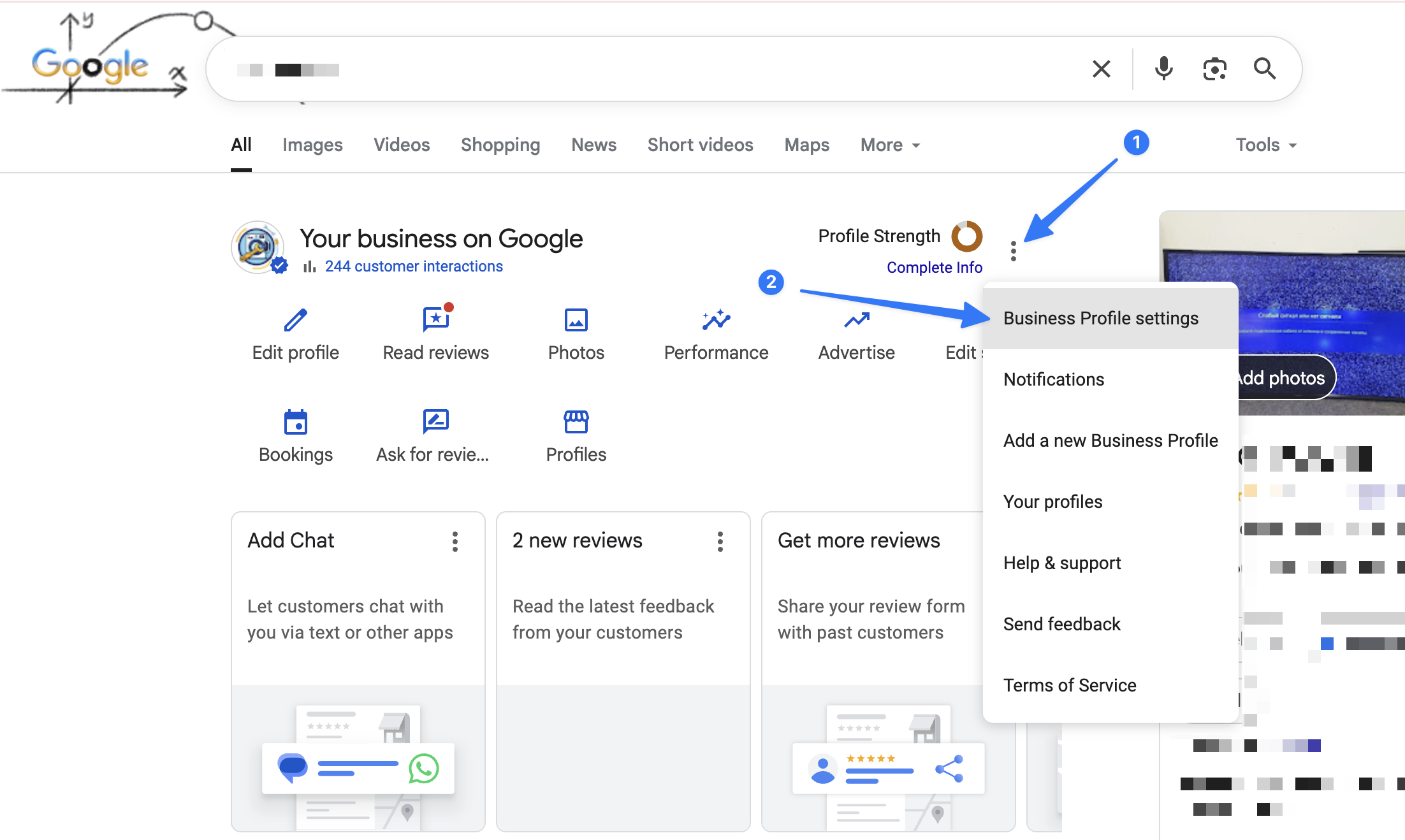
1. In the top-right corner, click the 3 dots to open the menu.
2. From the dropdown list, select Business Profile settings.
3. Next, open the People and access section

4. Click Add to invite a new user.

5. Enter 5775505274 in the "Email address" field, as shown in the screenshot below.

6. Choose Clientomic GBP Team
7. Choose Manager as the role.
8. Click Invite to send the access request.
If you experience any issues while granting access or cannot find the required options in your Business Profile settings, please contact our support team and we will assist you step by step.